
If your team handles customer questions in Jira Service Management, Accord gives you a consistent way to review some of that completed work. It chooses tickets, gives each reviewer a to-do list, guides everyone through the same questions, and keeps the results together.
Set up Accord
- Install Accord from the Atlassian Marketplace.
- In Jira, open Settings, choose Apps, and open Accord.
- Choose the first Accord administrator.
- Add at least one person who will review tickets.
- Check the starter review form and adjust the questions if needed.
- Create a review plan and keep it paused while you check the settings.
- Preview which completed tickets can be selected, then turn the plan on.
- Create the first group of reviews now, or let Accord create it on schedule.
Who can do what
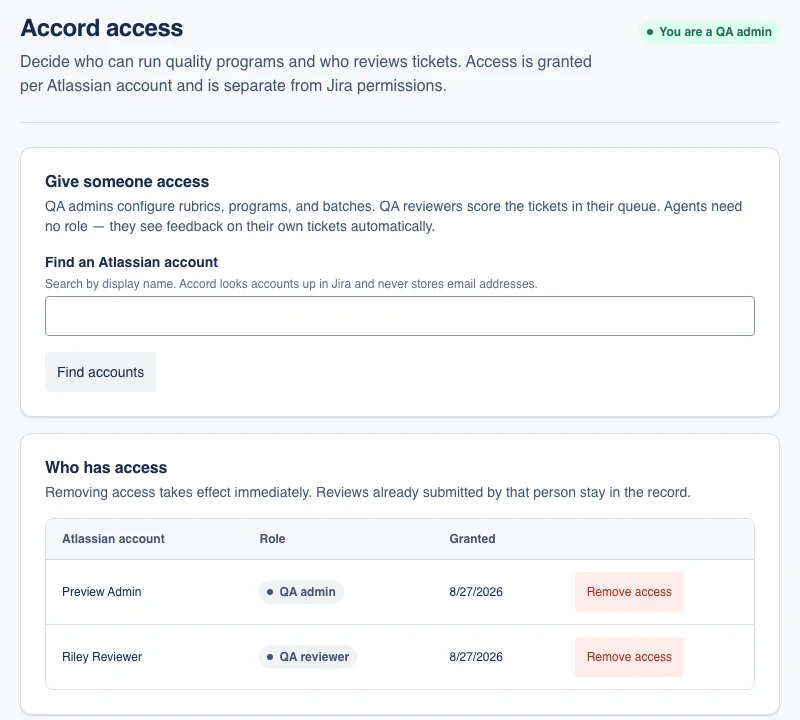
- Accord administrators set up review forms and plans, choose reviewers, and see team results.
- Reviewers read the tickets assigned to them, save work in progress, and submit finished feedback.
- Support team members see only finished reviews of their own tickets.
A Jira administrator—the person who manages your Jira site—can appoint the first Accord administrator. This does not automatically make that person a reviewer.
QA programs
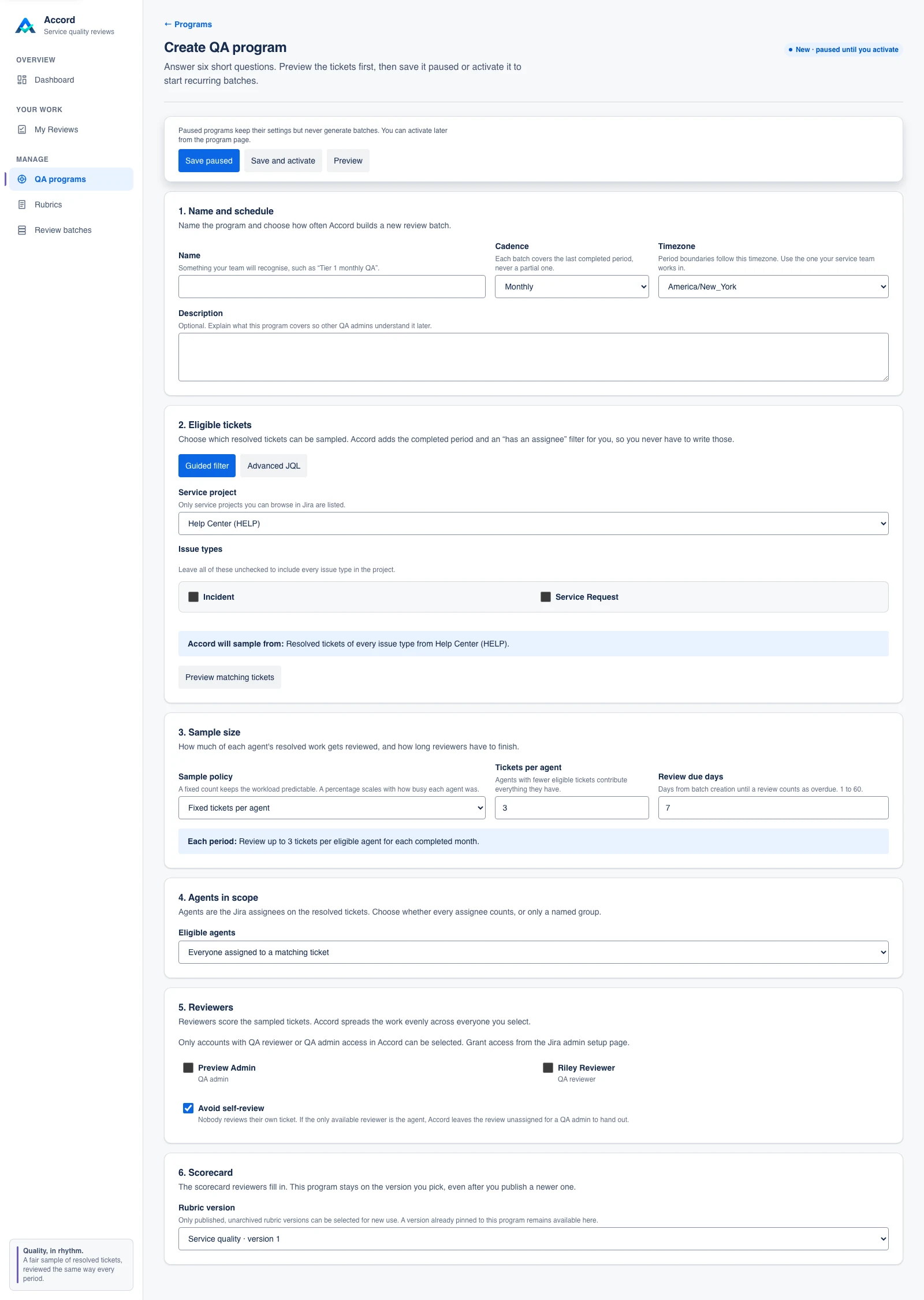
Accord calls a saved review plan a QA program. The plan says which completed tickets can be selected, how often reviews happen, how many tickets to choose, who reviews them, which review form to use, and when the work is due.
Reviews can run every day, week, two weeks, month, or quarter. Accord chooses tickets consistently. If it has to repeat the selection for the same dates, it chooses the same tickets instead of changing them at random.
Rubrics
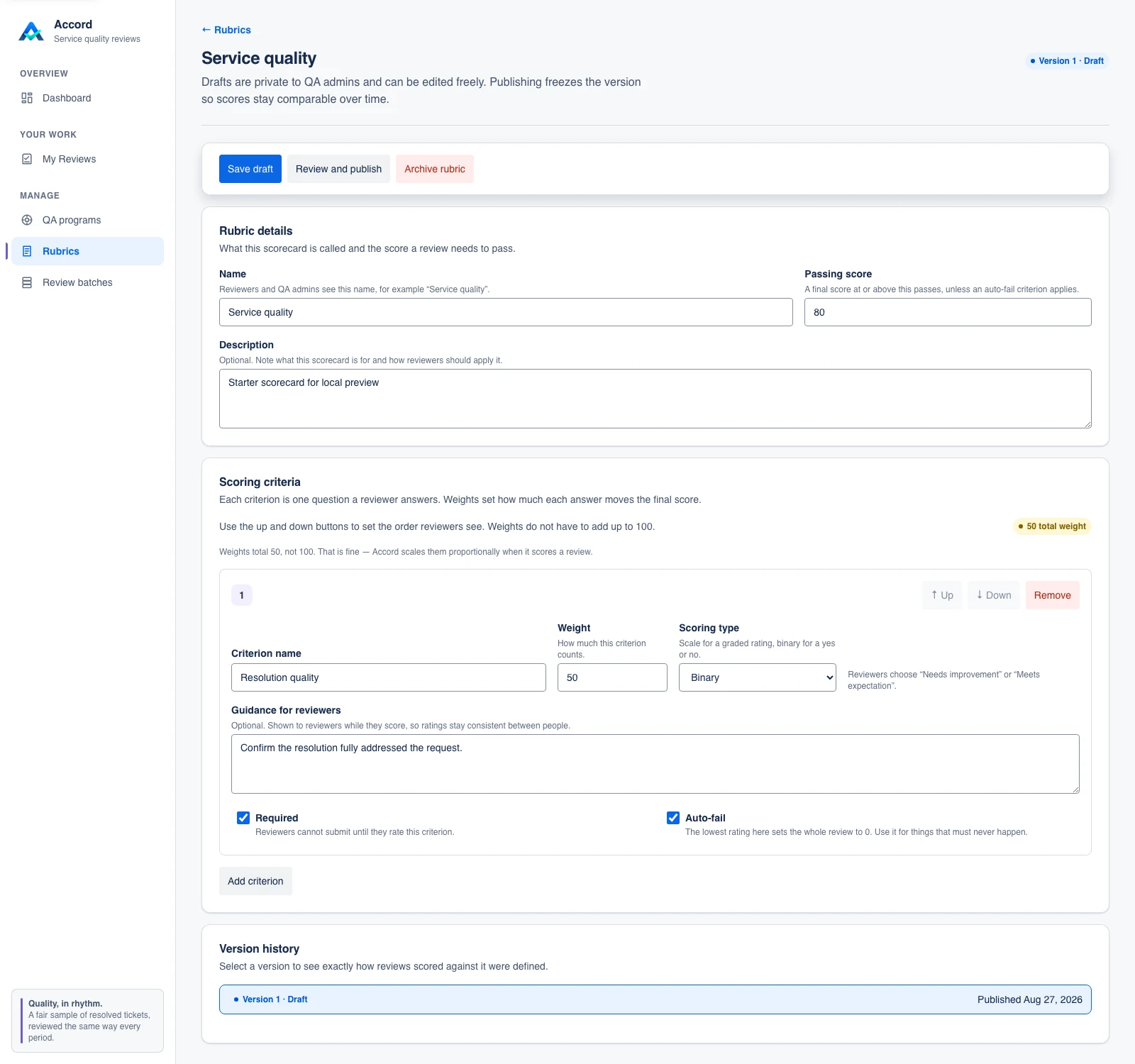
Accord calls a review form a rubric. It contains the questions every reviewer answers, the available ratings, the importance of each question, and the score needed to pass.
When the form is ready, publish it. A published form is locked so old reviews always reflect the standard used at the time. To change the form later, create a new version.
Review batches
Each time a QA program runs, Accord creates a review batch for that completed period. The batch records which eligible resolved tickets were selected, who was assigned to review them, and how much of the work has been completed.
Accord administrators can generate a batch immediately or let the program create it on schedule. Running the same program again for the same period does not create duplicate reviews.
Complete a review
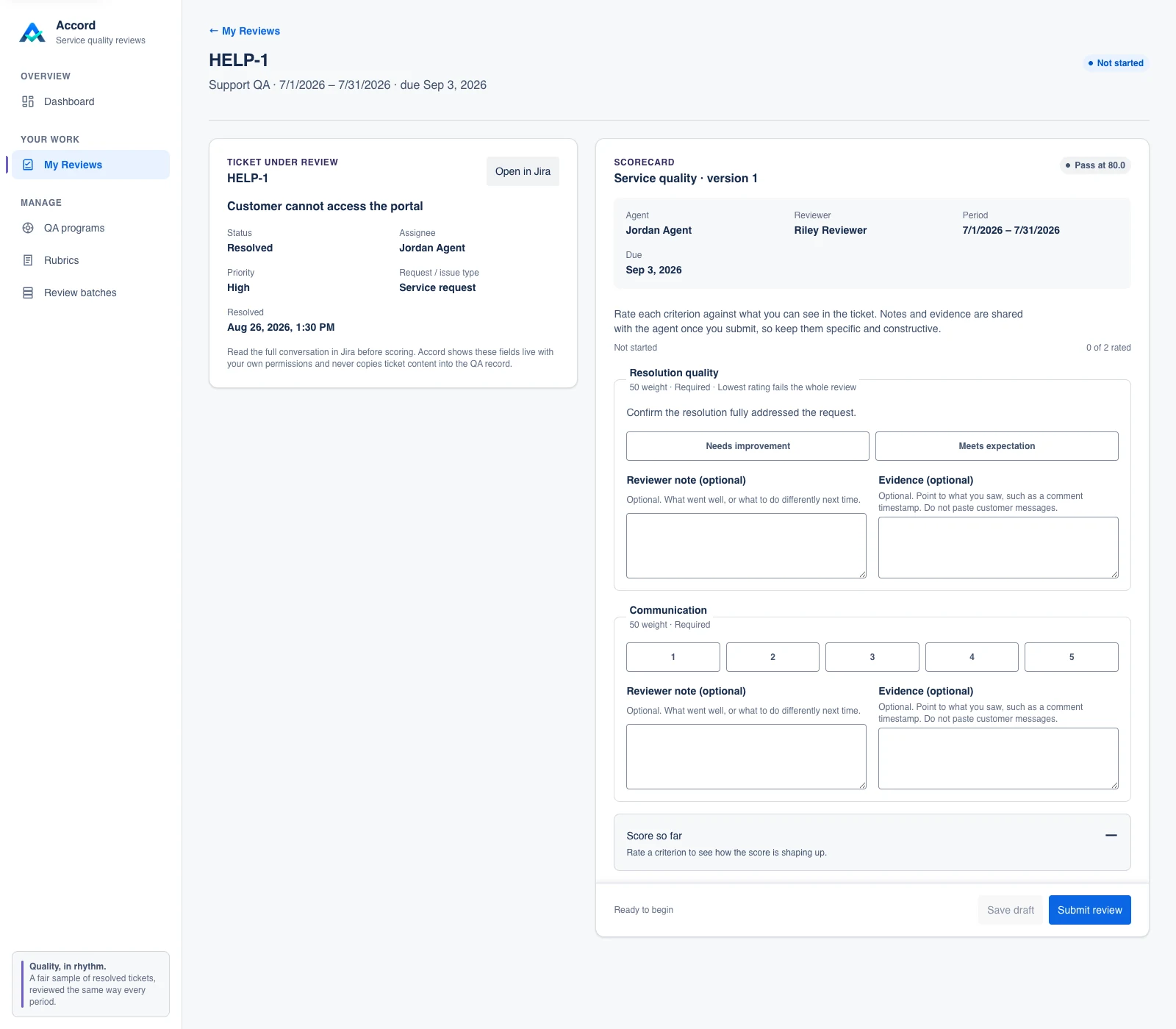
Each reviewer gets a list of assigned tickets. They can open a ticket, read the details Jira already allows them to see, answer the review questions, and save their work privately.
After the reviewer submits the review, it is locked. If a submitted review should not count, an Accord administrator can mark it as not counted and explain why. The original remains in the history but is left out of the dashboard totals.
Dashboard
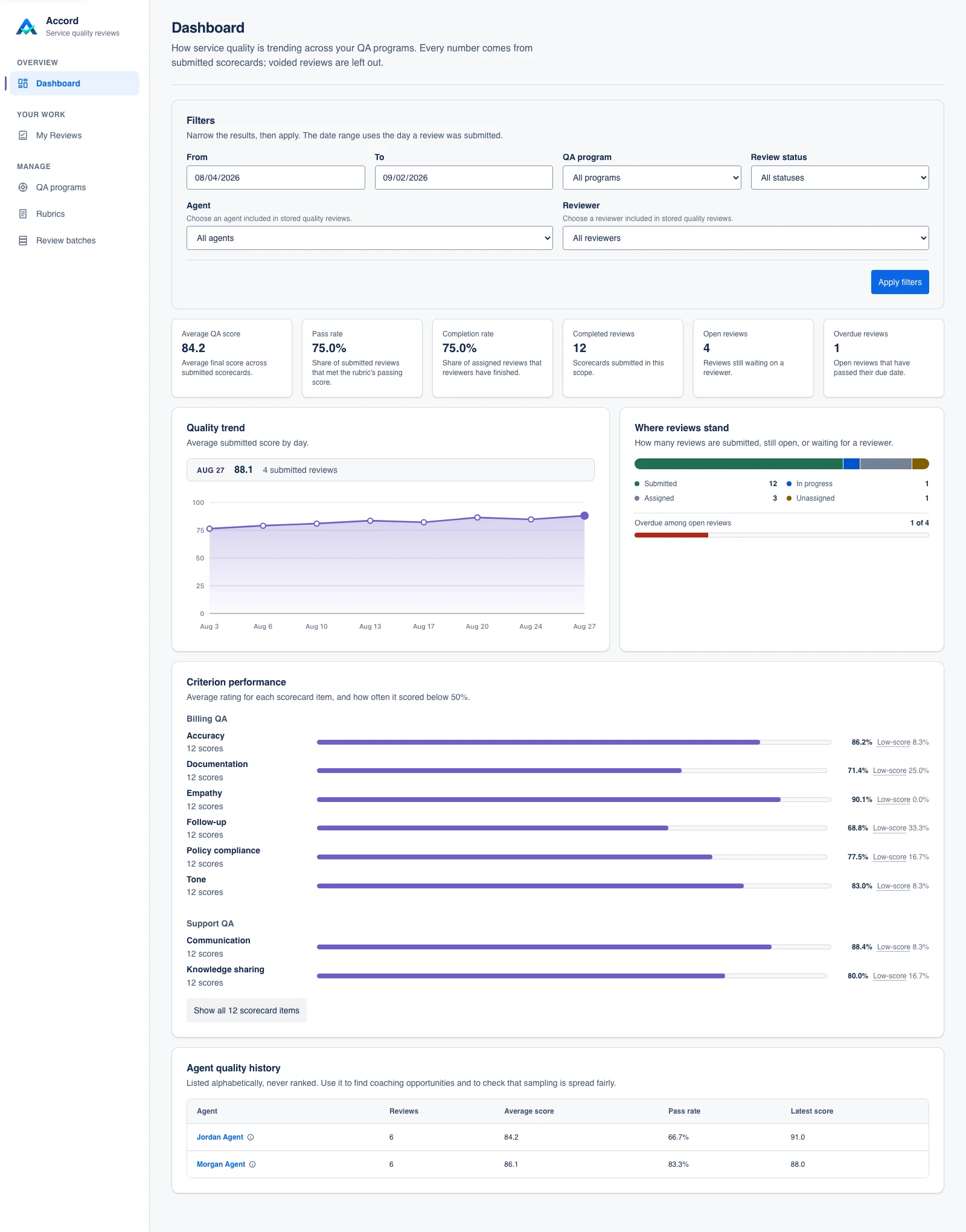
Submitted reviews build a quality dashboard for Accord administrators. Use its filters to narrow the view by date, QA program, review status, support team member, or reviewer, then follow scores, completion, overdue work, and question-level patterns over time.
Ticket access
Accord shows live Jira ticket content only when the person viewing it can already open that ticket in Jira. If Jira access is later removed, an authorized person may still see the stored QA record, but Accord does not show the restricted live ticket content. Installing Accord does not give anyone broader access to customer information.
Words you will see in Accord
- Ticket or issue: a customer request or other piece of work stored in Jira.
- Rubric: the questions and scoring rules used for a review.
- QA program: a saved plan for choosing and reviewing tickets on a schedule.
- Review batch: the group of tickets selected for one set of dates.
Need help?
Visit Accord support to open a tracked request, or email support@accordquality.com if you cannot use the portal. Do not include sensitive Jira ticket content in a support request.